14 Viral AI Photo Looks (and the Prompts Behind Them)
The AI photo trends people keep posting — anime, film-camera looks, neon, age-shifts — and the copy-paste prompts to get them on your own photo in seconds.
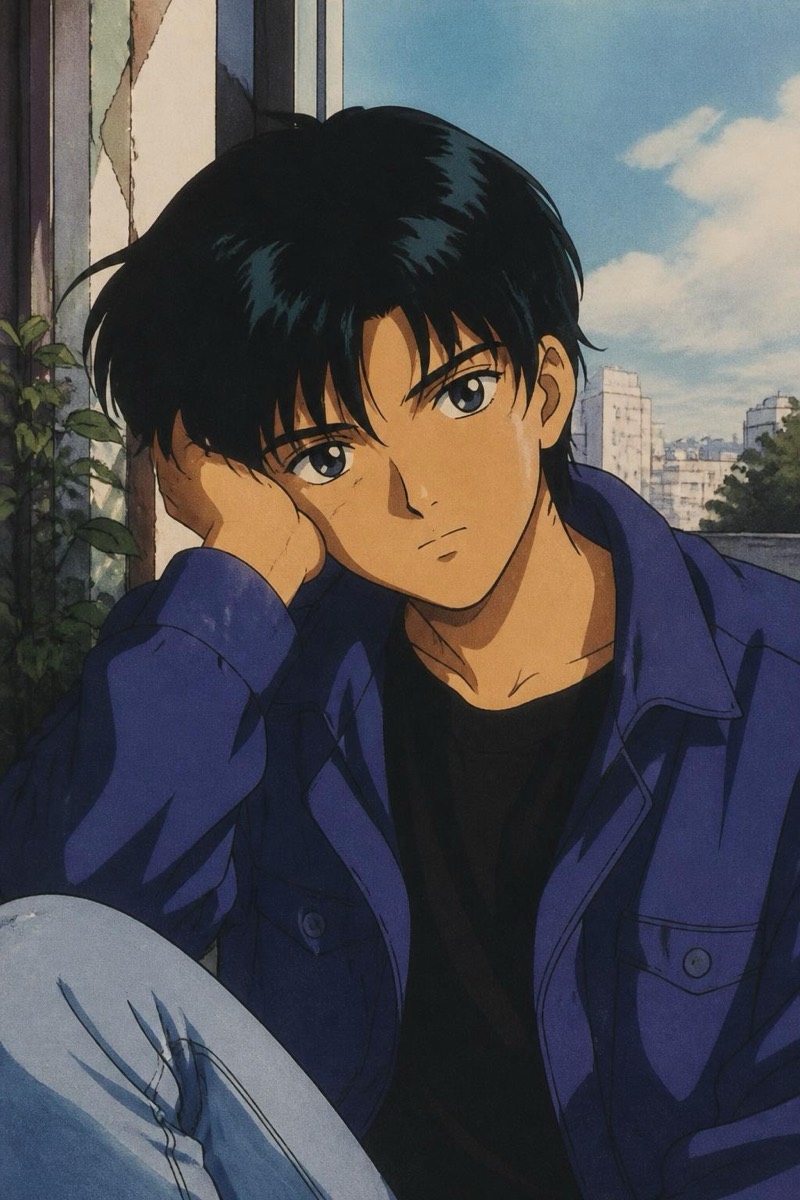
Some edits are about fixing a photo. These are about turning it into something people stop scrolling for. Below are fourteen of the AI photo looks that keep going viral, each with a prompt you can paste onto your own photo. Copy one and see yourself as a 90s anime character, a disposable-camera flashback, or a few decades older.
Each is an example you type; reword freely. Prefer one tap? Every look links to a ready-made version.
Anime and illustrated
1. 90s anime
Turn me into a 90s anime character, hand-drawn cel style, keep my pose and outfit.
The look that never stops trending. Try it →
2. Studio anime
Restyle this as a modern studio-anime frame, clean lines, soft cinematic color.
Feature-film anime energy. Try it →
Film-camera nostalgia
3. Disposable camera
Give this a 90s disposable-camera look, hard flash, slight grain, date-stamp vibe.
The party-photo aesthetic everyone loves. Try it →
4. Expired film
Apply a faded expired-film look, shifted colors, soft contrast, dreamy and warm.
Happy accidents, on purpose. Try it →
5. Kodak Portra
Give this a warm Kodak Portra film look, natural skin tones, gentle contrast.
The film stock every photographer name-drops. Try it →
6. Super 8
Make this look like grainy Super 8 film, warm, soft, a little nostalgic.
Home-movie warmth. Try it →
Bold lighting
7. Cyberpunk neon
Relight this with moody cyberpunk neon, pink and blue glow, cinematic.
Night-city energy. Try it →
8. Coloured-gel studio
Add a bold coloured-gel studio light, one strong hue, editorial and dramatic.
The music-video look. Try it →
9. Rembrandt portrait light
Relight me with classic Rembrandt portrait lighting, soft shadow triangle on the cheek.
Painterly and timeless. Try it →
Black and white
10. Film noir
Convert to dramatic black-and-white film noir, deep shadows, hard light, moody.
Instant cinema. Try it →
11. Fine-art B&W
Make this a fine-art black-and-white portrait, rich tones, gallery feel.
Understated and striking. Try it →
Age shifts
12. See yourself as a kid
Show me as a young child, keep a believable resemblance, natural and sweet.
The reunion-with-your-younger-self post. Try it →
13. See yourself much older
Show me decades older, natural aging, keep my features recognizable.
Fun, and weirdly moving. Try it →
High fashion
14. Editorial makeup
Add high-fashion editorial makeup, bold and artistic, magazine-cover finish.
Runway, on your selfie. Try it →
Pick the one that fits your mood, run it, and post the before-and-after. The looks change with the trends — but the move is always the same: type it, tap it, share it.
Frequently asked
- Do these keep my face, or make a random new one?
- Style looks (anime, cartoon-ish, film looks) stylize your actual photo, so the pose and composition stay yours. Age looks and heavy stylizations lean more creative by design — they're meant to reimagine, not to be a faithful edit of you.
- Why do so many of these go viral?
- They're instantly shareable: a single before-and-after tells the whole story, and the looks tap into nostalgia (90s film, disposable cameras) or novelty (see yourself older, as an anime character). They're made to be posted.
- Can I use these for a profile picture or content?
- Absolutely — that's most of the point. Film and lighting looks make great profile pictures; the bigger transformations are perfect for social posts and stories.
Try these on your own photo
Editable is free to start — just type what you want and the edit takes seconds.
Get Editable on the App Store