How to Turn a Selfie into a Professional Headshot (No Photographer Needed)
LinkedIn, team page, speaker bio — you need a professional photo and all you have is selfies. Here's what actually makes a photo read as 'professional', and how AI gets you there from one decent selfie.
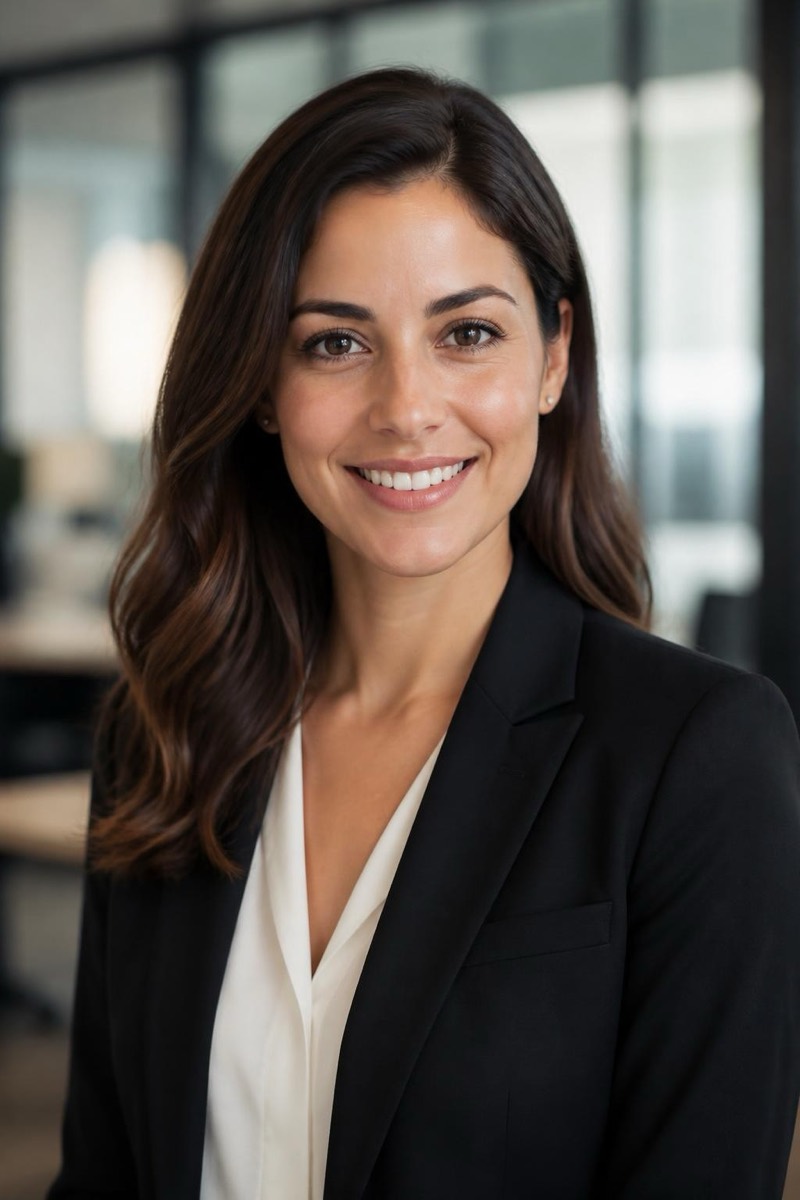
At some point a form asks for it: a professional photo. The job application, the company site, the conference speaker page. And your camera roll offers you three options: a wedding photo cropped at someone’s shoulder, a good selfie with a bathroom in it, and a photo from 2019.
A studio session solves this for a couple hundred dollars and a week of scheduling. AI now solves it from one decent selfie. But to use either well, it helps to know what actually makes a photo read as “professional” — because it’s not the suit.
The three things that make a headshot “professional”
Look at any corporate headshot you instinctively trust. It has:
- Deliberate lighting. Soft, directional, flattering — a key light that sculpts the face instead of a ceiling bulb that flattens it. This is 70% of the effect.
- A backdrop that says nothing. Office blur, studio grey, neutral wall. The background’s job is to not exist.
- Wardrobe one notch above your daily. Not necessarily a suit — just clearly considered.
Notice what’s missing from that list: an expensive camera. Phone sensors passed the “good enough for a headshot” bar years ago. What phones can’t do is light you properly in your kitchen — and that’s precisely the part AI can now rebuild.
Step 1: take one honest selfie
Five minutes, no equipment:
- Face a window in daytime. Window light is the closest free thing to studio light.
- Camera at eye level, arm’s length or propped. Chest-up framing.
- Neutral expression with a slight smile. Look at the lens, not the screen.
- Hair as you’d wear it to the interview. That’s it — the clothing and background don’t matter yet.
Step 2: let AI do the studio’s job
In Editable, the transformation is three edits, each one tap:
- Attire — Power Suit or the softer business-casual looks in the Business category replaces your t-shirt with tailoring matched to your pose and the photo’s light.
- Setting — Office Backdrop places you in a soft-focus modern workspace; prefer a studio look? High-Key or classic Loop Light re-light you like a portrait session.
- Finish — Glow Up evens the skin’s lighting without touching your features, and natural makeup is there if it’s your style.
The order matters: light and clothing first, finishing touches last.
What to keep, what to redo
Judge the result the way a stranger would: Is this clearly the same person who’ll show up to the meeting? If yes — lighting, attire and backdrop upgrades are fair game; that’s what a photographer would have done. If the face itself has drifted — jawline slimmer, eyes larger, skin poreless — regenerate. An impressive photo that doesn’t look like you is a liability with a deadline.
Where to use it
The chest-up professional photo is the most reused image you’ll ever make: LinkedIn, Slack, email signature, company site, conference programs, grant applications. Make one good one and the form-asking-for-a-photo problem is solved for two years — or until the haircut changes, in which case there’s a filter for previewing that too.
Frequently asked
- Will an AI headshot look like me?
- It should look like you on a well-prepared day — same face, same features, professionally lit and dressed. The tools worth using change clothing, backdrop and lighting while treating your face as untouchable. If a result drifts from your actual appearance, regenerate rather than settle: the person interviewing you will eventually meet the real you.
- Is it okay to use an AI headshot on LinkedIn?
- An AI-enhanced photo of you (your real face, improved lighting and attire) is broadly accepted — it's the digital equivalent of dressing up and hiring a photographer. A fully synthetic face or heavy beautification is where it gets misleading. Keep it recognizably, honestly you.
- What's the biggest mistake in DIY headshots?
- Lighting, not clothing. A crisp suit under a ceiling bulb still looks like a bathroom selfie. If you fix only one thing at capture time, face a window — the rest can genuinely be fixed afterwards.
- Portrait or landscape? Smiling or serious?
- Portrait orientation, chest-up crop, and a slight, natural smile test best across LinkedIn-style contexts — it reads as competent and approachable. Full grins and stern stares both underperform it.
Try it on your own photo
Editable is free to start — edits take seconds, no editing skills needed.
Get Editable on the App Store