How to Add Makeup to a Photo (From Natural to Full Glam)
Try a red lip, a smokey eye, or a soft natural look on a photo you already have. Here's how AI makeup works, how to keep it believable, and which looks suit which photos.
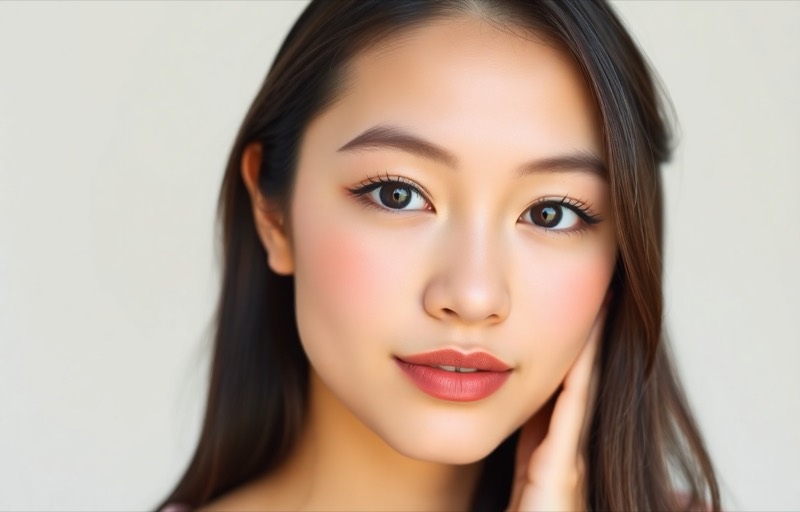
Makeup is one of the few things about a photo you can genuinely change your mind about later. Maybe you took a great selfie bare-faced and want to see it with a soft glam. Maybe you’re deciding whether a bold red lip suits you before an event. Maybe you just want the polished version of a candid shot. Trying it for real means an hour at the mirror and a product you might not like. Trying it on the photo takes seconds.
AI makeup has crossed the line from obvious filter to believable, as long as you treat it like real product: placed with intent, not slathered on.
Believable makeup is about placement, not amount
The reason old “beauty” filters looked fake is that they painted color onto flat regions, a lip-shaped blob, a smear of eyeshadow, with no regard for the actual face. Real makeup follows structure: lipstick hugs the lip line, blush sits on the cheekbone, shadow deepens the crease of the eye. When color lands where product actually goes, and at a believable opacity, the eye reads it as makeup rather than editing. Placement first, intensity second.
Why sliders can’t do this
The Photos app has warmth and saturation, nothing that knows where a lip or an eyelid is. Manual approaches mean painting each element by hand and trying to match how light falls on the face, which is exactly the skill that makes real makeup hard. To place a smokey eye or a clean lip convincingly, a tool has to understand the face’s geometry, not just its colors.
How AI makeup actually works
The model maps the face, the lips, the eyes, the cheeks, the brows, and applies the chosen look along those contours, matching the photo’s lighting so the product catches light the way real makeup would. Because it’s placing along real features, a red lip stays inside the lip line and a smokey eye deepens the right part of the lid, at an opacity you’d actually wear.
To do it in Editable:
- Get the app (free to start) and open the Explore tab.
- Pick a look under Makeup: natural or soft glam for everyday, red lip or smokey eye for a bolder statement, glass skin for a dewy finish, or bridal for an event.
- Pick your photo and compare. Start lighter than you think, then go up if you want more.
For a polished-but-bare look, a light Glow retouch under natural makeup keeps skin fresh without adding obvious product.
Which look suits which photo
- Everyday selfie or profile: natural or soft glam. Enough to look put-together, not enough to look done.
- Night out or event: smokey eye, red lip, full glam. Bolder reads well against evening light.
- Dewy, trend-forward look: glass skin. Great for a fresh, lit-from-within finish.
- Weddings and shoots: bridal. Polished and camera-ready without going heavy.
The honest bit
AI makeup is best as a preview and a polish, not a mask. Kept believable, it’s a genuinely useful way to see a look on your own face before you commit to it in real life, and to give a favorite photo the finished version you had in mind.
Frequently asked
- Does AI makeup look painted on or real?
- A good one follows the contours of your face, the shape of your lips, the crease of your eye, so it sits like real makeup rather than a sticker. The difference between believable and fake is placement and opacity: light, well-placed product reads as real; heavy, misaligned color reads as a filter.
- Can I try a specific look, like a red lip or a smokey eye?
- Yes. You can apply targeted looks (natural, soft glam, red lip, smokey eye, glass skin, bridal) rather than one generic 'beauty' setting, so you can actually preview a style before recreating it in real life.
- Will it change my face, or just add makeup?
- Just the makeup. Adding makeup is not the same as reshaping features; the goal is product on your existing face. If a look starts changing your nose or jaw, that's a different edit and worth keeping separate and intentional.
- Is this useful for planning a real makeup look?
- Very. Previewing a red lip or a smokey eye on your own photo is a low-stakes way to see what suits you before buying products or booking a makeup artist for an event.
Try it on your own photo
Editable is free to start — edits take seconds, no editing skills needed.
Get Editable on the App Store