How to Change the Angle of a Photo with AI (Without Reshooting)
Wish a photo had been taken from a different angle? Here's what AI reframing can genuinely do, when it looks convincing, and how to reshoot a shot from a new angle in a few taps.
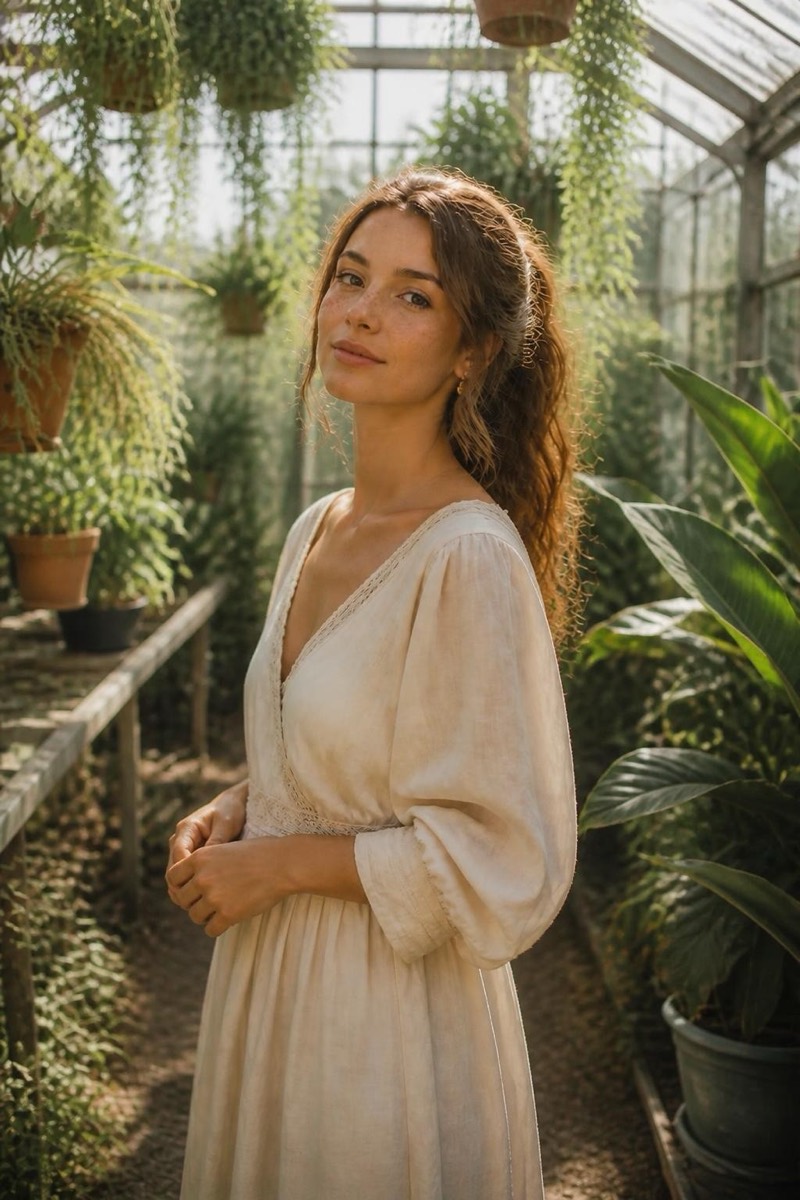
Everyone has the photo where everything is right except the angle. The light is perfect, the smile is real, and the camera was dead straight-on, so it all looks a little flat. Or the opposite: a friend shot you from below at a table and now it’s the least flattering frame of the night. You can’t line the whole scene back up and shoot it again. The moment is gone.
Except the angle isn’t as fixed as it feels. AI can now re-shoot a photo from a different camera position, and for portraits it’s genuinely convincing.
Why the angle matters more than we admit
The same face reads completely differently depending on where the lens sits:
- Straight-on is honest but flattening. Great for ID photos, less great for looking your best.
- Three-quarter (subject turned about 30 to 45 degrees) is the angle almost every professional portrait uses. It adds shape to the face and slims the frame.
- Slightly high flatters most people: jawline defined, eyes up.
- Low angle adds drama and presence, which is why it’s everywhere in fashion and travel photos.
Knowing which angle you wanted is half the fix. The other half used to require a reshoot.
What cropping and rotating can’t do
Open the photo in the Photos app and you get crop, straighten and a perspective slider. These reframe the composition, and the perspective tool can fake a small tilt. What they cannot do is rotate the subject or reveal a side the lens never saw. Crop a straight-on face all you like: it stays a straight-on face, just smaller. To actually change the angle, the pixels for that new view have to be created, not rearranged.
How AI reframing actually works
Instead of nudging the photo you have, an AI reframe places a new virtual camera and re-renders the scene from there. A model trained on faces and bodies from every viewpoint understands how your features turn in space, so it can redraw the three-quarter version of a straight-on portrait, reconstruct the cheek and ear that rotate into view, and keep the lighting consistent. It’s closer to a 3D re-shoot than a filter.
To do it in Editable:
- Get the app (free to start) and open your photo in the editor.
- Tap Reframe and pick the angle you wish you’d shot. Start with three-quarter for portraits, or close-up to move in tighter with real perspective.
- Let it render and compare. If the first angle is too much, step back one (a subtle front or a gentle above often beats a dramatic one).
For full-scene shots where you want more of the surroundings, a wide reframe pulls the camera back and fills in the edges.
Which angle shifts look best
- Straight-on to three-quarter: excellent. This is the single most flattering change and the most reliable.
- Eye level to slightly high or low: very good. Small camera moves add depth and stay believable.
- Big rotations toward a profile or the back: creative. You’ll get a clean result, but treat it as the model’s best interpretation rather than a recovered view.
A quick way to choose
Ask what the photo is for. A dating or LinkedIn shot wants a flattering three-quarter or a slight high angle. A travel or outfit photo wants a low, confident angle with a bit of the scene. Match the angle to the job and the reframe does the rest, no reshoot, no asking everyone to get back into position.
Frequently asked
- Can AI really show a side of the subject the camera never captured?
- Within reason, yes. Moderate angle shifts (straight-on to a three-quarter turn, eye level to a slightly higher or lower camera) are reconstructed convincingly because the model has seen millions of faces and bodies from every angle. A full turn to the back is more of an educated guess: it will look plausible, but it's an interpretation, not a hidden truth.
- Will my face still look like me at a new angle?
- At small-to-moderate shifts, identity holds up well. The bigger the rotation, the more the model is inventing what your profile or the back of your head looks like, so it can drift. Keep the change tasteful and it stays clearly you.
- Is this the same as just cropping tighter?
- No. Cropping only changes what's included from the one angle you have. Reframing re-renders the scene as if the camera physically moved, which changes perspective, foreshortening and which parts of the subject face the lens.
- What kinds of photos benefit most?
- Portraits and half-body shots. A stiff straight-on snapshot becomes a magazine-style three-quarter; a flat eye-level photo gains depth from a subtle low angle. Busy group shots and complex backgrounds are harder because there's more to reconstruct.
Try it on your own photo
Editable is free to start — edits take seconds, no editing skills needed.
Get Editable on the App Store