How to Look Younger in a Photo (De-Age, Naturally)
Soften a few years without turning into a stranger. Here's how AI de-aging works, how far is too far, and how to look refreshed in a photo while still looking like yourself.
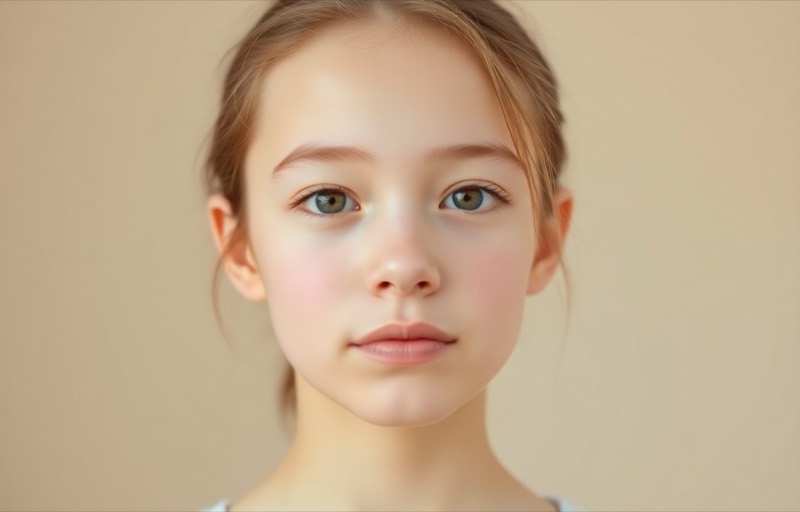
We’ve all had the photo that added a decade. Harsh overhead light finds every line, a long day shows up under the eyes, and a camera flattens the glow that’s there in person. You don’t look old, you look tired, and the photo froze it. De-aging, done with a light touch, just undoes that, softening a few years so the picture matches how you actually feel.
The key word is subtle. The goal isn’t a different, younger face. It’s your face on a well-rested, well-lit day.
What actually reads as “younger” in a photo
It’s rarely one big thing. A few small signals do most of the work:
- Under-eye shadows and puffiness. The single biggest “tired” tell. Lifting these does the most.
- Fine lines and dullness. Softened, not erased; skin looks fresher without going plastic.
- Even tone and a bit of glow. Firm, luminous skin reads as youthful more than wrinkle-removal does.
Notice what’s not on the list: your bone structure, your features, your expression. Change those and it stops being you.
Why sliders can’t do it (and beauty filters overdo it)
Brightness and smoothing sliders hit the whole face at once. Smoothing enough to soften lines also wipes out pores and turns skin into a mask, the classic over-filtered look that reads as fake, not young. Aggressive “beauty” filters go further and start reshaping features, which is how people end up looking uncanny. Real de-aging has to be selective: ease the aging signals, keep everything that makes the face specific.
How AI de-aging actually works
The model understands how faces change with age, so it can gently reverse a few of those signals: lifting under-eye shadows, softening fine lines, restoring even, luminous skin, while preserving your features and expression. Because it targets the aging cues rather than blurring everything, the result keeps texture and identity. You look rested, not remade.
To do it in Editable:
- Get the app (free to start) and open the Explore tab.
- For a subtle few-years-younger pass, use De-age and pick your photo.
- Prefer just ‘rested’ over ‘younger’? A light Glow retouch clears tiredness and evens skin without touching age at all.
Setting honest expectations
- A light, few-years pass: excellent. You look fresh and rested, unmistakably still you.
- A stronger youthful look: good, with care. Believable if you stop before features start shifting.
- Big age jumps (much younger or older): creative. Fun to see, clearly an interpretation rather than a realistic edit of the current you.
Where to draw the line
Zoom in and check two things: does the skin still have texture, and does the person still look exactly like you? If yes to both, you’ve softened the years without losing yourself. The best de-age is the one nobody can point to, they just think you look well.
Frequently asked
- Will de-aging make me look like a different person?
- Only if you overdo it. A subtle pass softens the signs that read as tired or aged, fine lines, under-eye shadows, dullness, while keeping your bone structure and features. Push it hard and it starts smoothing away the things that make your face yours, which is when it tips into 'stranger'. Restraint keeps it clearly you, just fresher.
- What's the difference between de-aging and retouching?
- They overlap. Retouching clears the temporary stuff (a blemish, redness). De-aging goes a little further, easing fine lines and restoring the firmness and glow that read as youthful. Used gently, de-aging is really just retouching plus a touch of freshness.
- Can it also make someone look older, for fun?
- Yes. The same understanding of how faces change over time works in both directions, so you can preview an older or much younger version of a face. Those bigger jumps are clearly creative, not realistic edits of the current you.
- Is this honest to use on a profile or dating photo?
- A light, natural pass that makes you look rested is fair game, the same as good lighting or a flattering angle. The honest line is looking like your best self versus looking like someone else; keep it subtle and you stay on the right side of it.
Try it on your own photo
Editable is free to start — edits take seconds, no editing skills needed.
Get Editable on the App Store